
Alex0:12
I'll send the deck tomorrow and share it with the team before standup.
Grammar
Dictate todos, auto-record Zoom, Meet, and Teams, and file notes on a page. Native app, no bot in the room.
You said
Grammar filed
 Grammar
Listening for a call
Microphone
Call audio
Recording started
Saving Launch kickoff to your notebook
Grammar for Mac, Windows, and Linux detects Zoom, Meet, and Teams and starts recording automatically. Mic and call audio. No bot in the room.
Auto-record
Turn it on once. Grammar starts when a meeting app is in a call, not when dictation or other apps use the mic.
Private to you
Nothing in the meeting tells anyone you are recording. Only you see the transcript in Grammar.
Dictate anywhere
Hold Fn. Grammar types polished text in Slack, Mail, and every other app.
macOS 13+, Windows 10+, Linux
GrammarListening for a call
Microphone
Call audio
Recording started
Saving Launch kickoff to your notebook
Replay the recording, scrub the waveform, and read the full transcript next to your notes.
Speak or type a dump. Grammar extracts the tasks, then you assign each one to a workspace, notebook, or page before anything is saved.
Action itemsEmail the deck to Alex
Tomorrow · Launch · Kickoff
Book design follow-up
Friday · Design · Sprint
Send Q3 invoice
Personal
Connect Google Calendar and Grammar joins eligible Google Meet calls. Transcript, summary, and todos still land on your page.
Google Meet bot
Connect Google Calendar. Grammar joins Meet and delivers structured notes when the call ends.
How it works
Auto-join eligible calls, or schedule one tap at a time
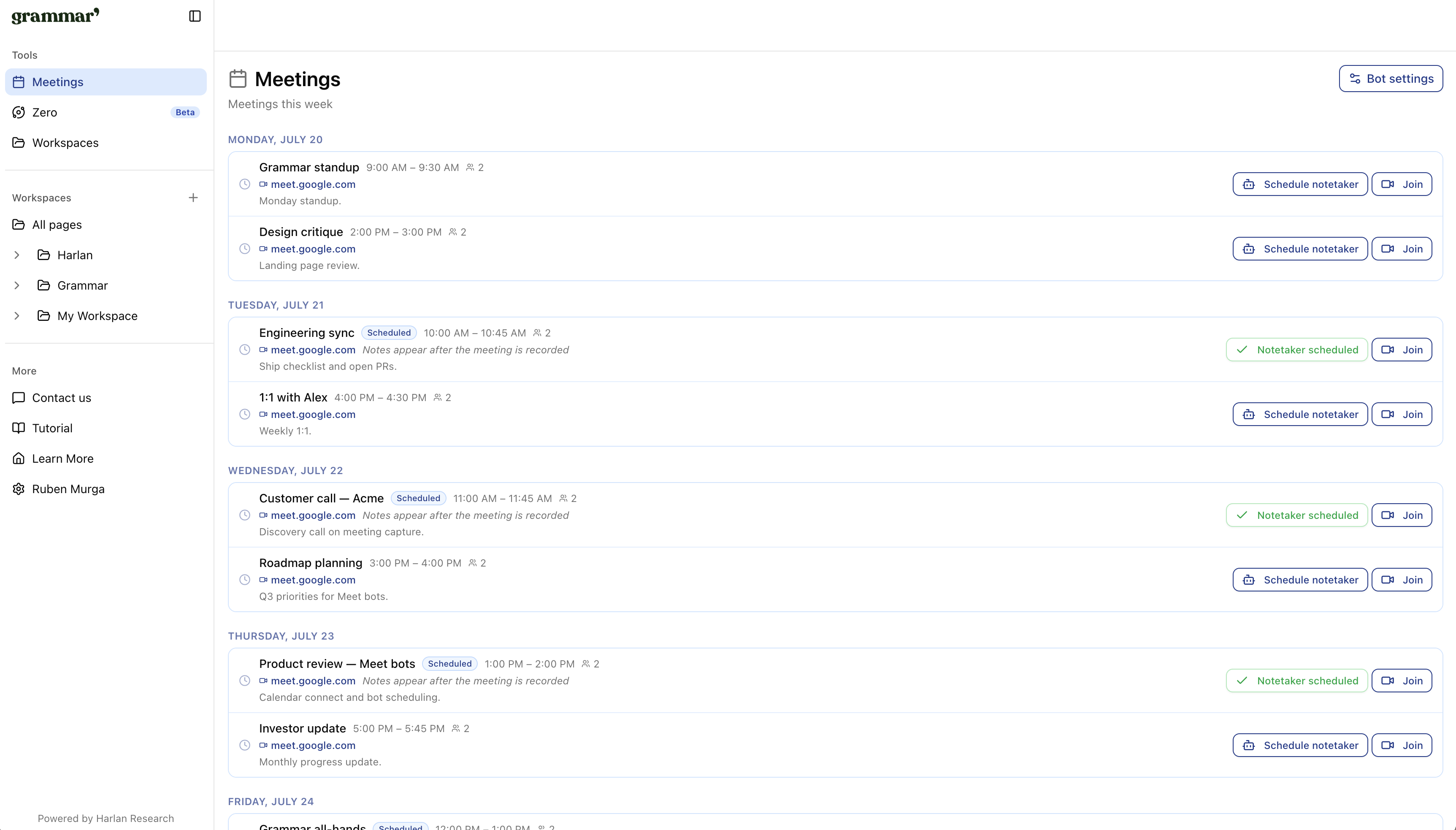
Meetings and notes from every workspace land in one list. Filter, search, and open the page.
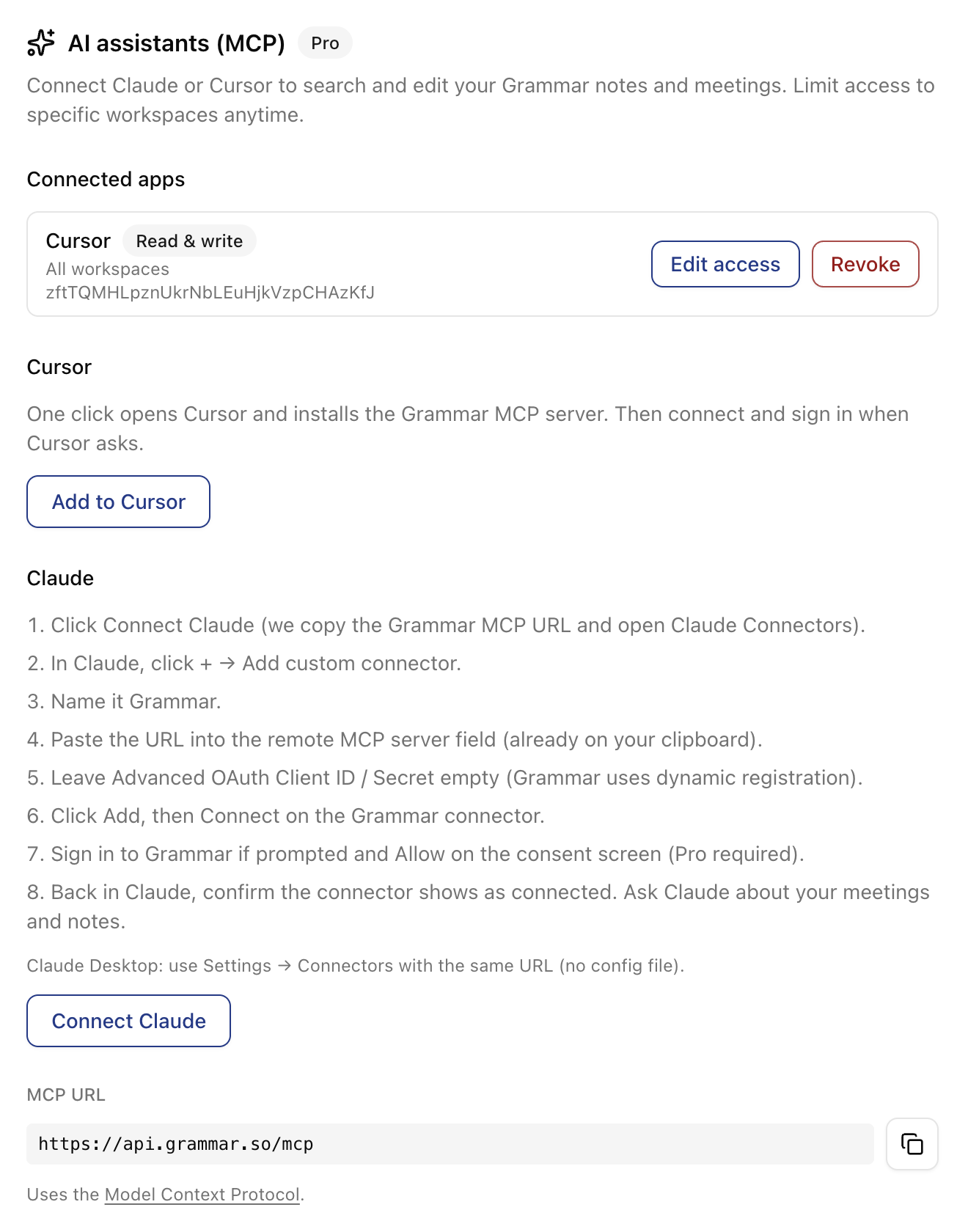
Connect Claude or Cursor to search your meetings and notes. You choose read-only or read & write and which workspaces to share.
Import PDFs, Word, Keynote, Numbers, and Excel files. Find any phrase with ⌘F, or ask a question and get the answer with its source.
Lease_2026.pdfSection 4. Term and renewal
The initial term of this lease begins on March 1, 2026 and ends on February 28, 2027.
The lease will renew automatically for twelve months unless either party gives written notice at least 60 days before the end of the term.
Rent for any renewal term may increase by no more than 3%.
You asked
When do I need to give notice?
Grammar found
By December 30, 2026: 60 days before the term ends on February 28, 2027.
Lease_2026.pdf · Section 4
Transcripts, notes, and audio are encrypted at rest. Providers delete raw processing copies within 24 hours.
AES-256-GCM for transcripts and notes. Audio in a private S3 bucket. TLS everywhere.
Full details in our Privacy Policy.
Teams use Grammar to dump todos by voice, auto-record calls on desktop, and sketch on the same page.
“I use Grammar every day so I don't miss a detail.”
Ruben Murga
Stord
“I dump todos by voice and they land in the right notebook. I stopped copying follow-ups between tools.”
Maya Patel
Product Lead, B2B SaaS
“I sketch architecture on the canvas while the transcript sits right beside it. Context doesn't get lost after the call ends.”
Daniel Okonkwo
Staff Engineer
“After customer calls I share one link: summary, notes, and diagrams. Stakeholders get the full picture without another deck.”
Elena Vasquez
Founder
“I use Grammar every day so I don't miss a detail.”
Ruben Murga
Stord
“I dump todos by voice and they land in the right notebook. I stopped copying follow-ups between tools.”
Maya Patel
Product Lead, B2B SaaS
“I sketch architecture on the canvas while the transcript sits right beside it. Context doesn't get lost after the call ends.”
Daniel Okonkwo
Staff Engineer
“After customer calls I share one link: summary, notes, and diagrams. Stakeholders get the full picture without another deck.”
Elena Vasquez
Founder
One workspace free. Upgrade for unlimited documents and AI, or go Pro for meeting capture too.
Free
Explore Grammar with a single workspace
Documents
Unlimited documents, search, and AI. No meetings.
Pro
Unlimited workspaces, meetings, recording, and AI